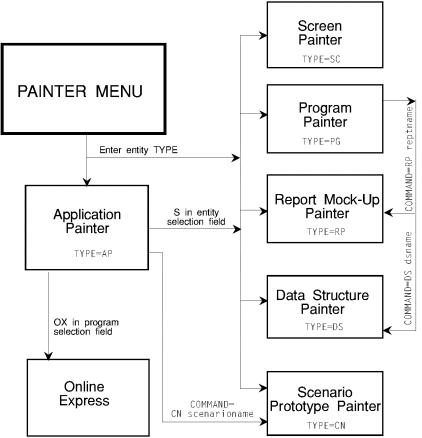
This chapter contains information on navigating in the Scenario Painter, and defining and running a scenario.
Use the Scenario Painter screen to define a sequence of screens for scenario prototyping.
| Command |
Description |
|---|---|
|
+increment |
Display screen increment screens ahead. |
|
-increment |
Display screen increment screens behind. |
|
DATA |
Prepare scenario screen for data entry and display. |
|
DATAOFF |
Turn off simulation and display screen in its painted format. |
|
EDIT |
Display Screen Painter to create or modify a screen. |
|
END|CANCEL| QUIT |
Terminate scenario; transfer to screen that invoked the scenario. |
|
Enter key |
Display next screen in scenario. |
|
FIRST|START |
Display first screen in scenario. |
|
HELP|F1|F13 |
Display Help tutorial. |
|
LAST|FINAL |
Display last screen in scenario. |
|
NUM [ON] |
Display descriptive information on last line of scenario screen. |
|
NUM OFF |
Turn off NUM ON command. Default when scenario invoked. |
|
READ |
Display data saved by last SAVE command. |
|
SAVE |
During prototype, save data entered in screen fields. |
|
screenname |
Display named screen. |
|
+screenname |
Display next occurrence of named screen. |
|
-screenname |
Display last occurrence of named screen. |
|
screennumber |
Display screen with sequential position of screennumber. |
Copyright © 2002 Micro Focus International Limited. All rights reserved.
This document and the proprietary marks and names
used herein are protected by international law.