Graphing Resources
Where: Navigator > Resources
Procedure:
-
Right-click one or more individual resources or resource groups except Notifications.
-
Select Graph View in the context menu.
The Viewer panel graphs the resources in a new channel. The following example shows a custom rule depicted in the center.
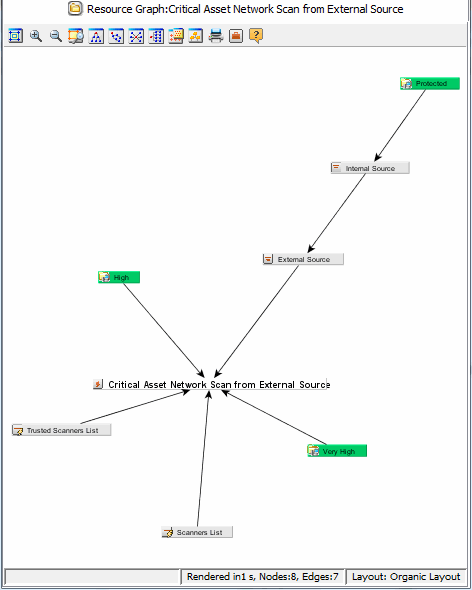
From the graph, you can view its relationships specified in the rule's Conditions tab. As the example shows, the rule interacts with two lists and two filters.