Assign the Column Type in the Wizard
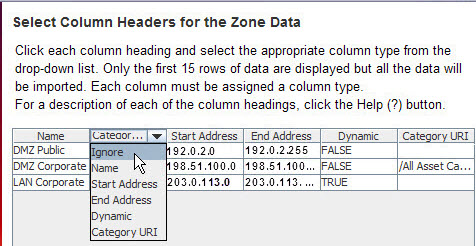
In this method, you assign the column type in the Select Column Headers panels while running the wizard. When the following sample zones CSV file (which does not contain a header row) is imported, the wizard does not know how to interpret all the columns as shown below.
DMZ Public,<Starting-IP-address>,<Ending-IP-address>,FALSE,
DMZ Corporate,<Starting-IP-address>,<Ending-IP-address>,FALSE,/All Asset Categories/Site Asset Categories/Business Impact Analysis/Network Domains/Email/
LAN Corporate,<Starting-IP-address>,<Ending-IP-address>,TRUE,
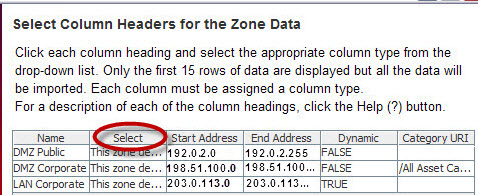
By default, when this sample data is imported into the wizard, the second column is automatically assigned to the Select column type but it is a description of the zone and should be assigned the Ignore column type. To change the column type, click the title of the column, and from the drop-down menu select the appropriate column type from the list of options.