Using Functions: Examples with Lists
Two examples are presented here:
-
Getting login session data from a session list
-
Extracting a list element from an active list
Getting Login Session Data from a Session List
Objective:
To get the number of login sessions maintained in a session list.
This scenario uses:
-
Session list to be referenced by GetSessionData
-
GetSessionData function specifying the session list from which to get values
-
GetSizeOfList function that uses the GetSessionData variable as an argument
-
ConvertStringToList function that uses the GetSessionData variable as an argument
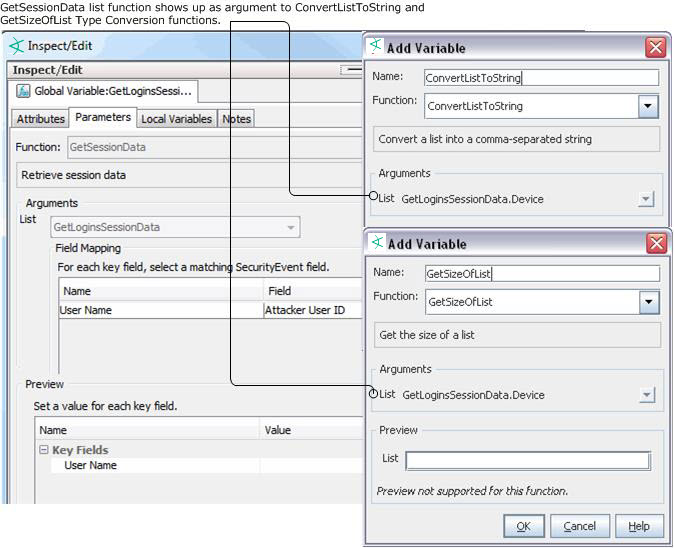
We name the variable GetLoginsSessionData and use GetSessionData function. For this variable, specify the session list as the source of values. You can then select the nested fields that show up in the field selector:
(<VariableNameFromSessionList>.<FieldName>)
as the argument.
If there are three user names on the list (for example, darren, samantha, and endora), the GetSizeOfList function returns the number of names on the list (for example, [3]). You could do the same with the IP addresses.
After you have specified the field values to be taken from the session list, you can further use the GetSizeOfList and ConvertStringToList for additional methods to get your session data.
Extracting a List Element from an Active List
Objective:
To extract the IP address from an active list containing expired audit events.
This scenario uses:
The scenario uses the value from DeviceCustomString4, where list elements are separated by a pipe (|):
desktop1.somecompany.com|mwhit|192.0.2.0|Antartica|ENG
In the string, the IP address is list element index 2. To extract the IP address, create a chain of three variables as follows:
-
parse_expired_entry = ConvertStringToList(DeviceCustomString4, "|")
-
get_ip_elem = GetListElement(parse_expired_entry, 2)
-
converted_ipa = ConvertStringToIpAddress(get_ip_elem)