Accessing a Global Variable Using the CCE
Resources that use the Common Conditions Editor (CCE) provide a button that enables you to access and add a global variable to a condition statement.

Note: Only the variables whose schema type matches the given resource are displayed when on the CCE. For example, an actor-based global variable is available for an actor-based query, but not for event- or resource-based queries.
To add a global variable from the CCE:
-
In the CCE for a given resource, click the +/-Global Variable button
 .
.The Global Variable Selector displays the Fields resource tree containing your selection of global variables.
-
Select one or more variables you want to add and click OK.
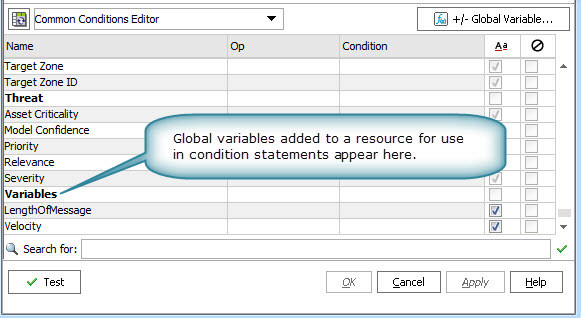
The variables are added as part of the available fields on the CCE under the Variables group.
-
On the CCE, scroll to the bottom of the available fields. You can use these variables in condition statements for this resource.
If the resource you are working in uses a field set that contains global variables, any global variable fields included in the selected field set are also available for selection in the CCE.