Create the Virtual Private Cloud
Creating the VPC
To create the VPC, in the AWS CLI, run the following command:
# aws ec2 create-vpc \
--cidr-block <CIDR allocated for new VPC> \
| jq -r '.Vpc.VpcId'
The command will return the new VPC's VPC ID. Record the VPC ID and VPC CIDR to the AWS worksheet.
For example below is an input and output:
# aws ec2 create-vpc \
--cidr-block 10.0.0.0/16 \
| jq -r '.Vpc.VpcId'
vpc-0143197ca9bd9c117
Tagging the VPC
The new VPC is required to have the following identifying tags:
Name=<vpc name>: Name of the VPC, for easier identification.-
kubernetes.io/cluster/<cluster name>=shared: Cluster name required so that Kubernetes can join worker nodes to the cluster. (The EKS cluster must also be tagged with this tag later.)
 To add tags to the VPC using the Web UI:
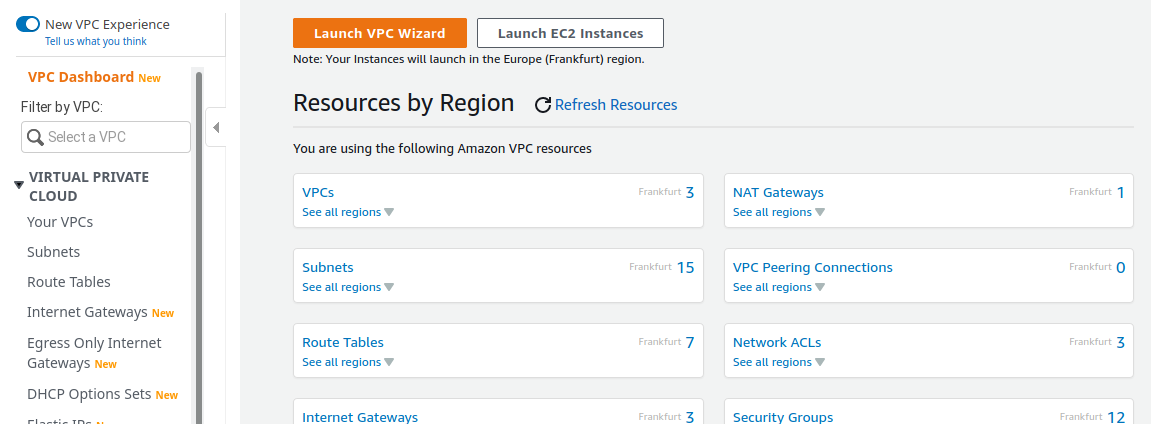
- Using the search box, browse to the VPC Dashboard.
- In the left navigation panel, under click Your VPCs.
- On the VPC management page, select your VPC either by name or VPC ID.
- At the bottom, select the Tags tab.
- On the tag editor dialog, click Create Tag and then enter the key name
Nameand value of the VPC name for theName, as described above. Click Save. - Click Create Tag, and then enter the tag for
kubernetes.io/cluster/<cluster name>and the valueshared. - Click Save.
- The list of VPC tags is shown on the Tags tab.


 To add tags to the VPC using the AWS CLI:
Run the following command:
# aws ec2 create-tags \
--resources <VpcId> \
--tags Key=Name,Value=<vpc name> Key=kubernetes.io/cluster/<cluster name>,Value=shared
Parameters:
-
<VpcId>: The VPC ID. -
<vpc name>: Assists in easier identification in the list. -
<cluster name>: Choose a name for your cluster and record it in the AWS worksheet. This value will be used later.
For example:
# aws ec2 create-tags \
--resources vpc-0143197ca9bd9c117 \
--tags Key=Name,Value=srgdemo-vpc Key=kubernetes.io/cluster/srgdemo-cluster,Value=shared
To (optionally) verify assigned tags:
Run the command:
# aws ec2 describe-tags \
--filters "Name=resource-id,Values=<VPC ID>"
For example:
# aws ec2 describe-tags \
--filters "Name=resource-id,Values=vpc-0143197ca9bd9c117"
{
			"Tags":[
			{
			"Key":"Name",
			"ResourceId":"vpc-0143197ca9bd9c117",
			"ResourceType":"vpc",
			"Value":"srgdemo-vpc"
			},
			{
			"Key":"kubernetes.io/cluster/srgdemo-cluster",
			"ResourceId":"vpc-0143197ca9bd9c117",
			"ResourceType":"vpc",
			"Value":"shared"
			}
			]
		}
Enabling DNS and Hostname Resolution
DNS support and hostname resolution should be enabled to make IP addresses more easily human-readable.
To enable DNS using the web UI:
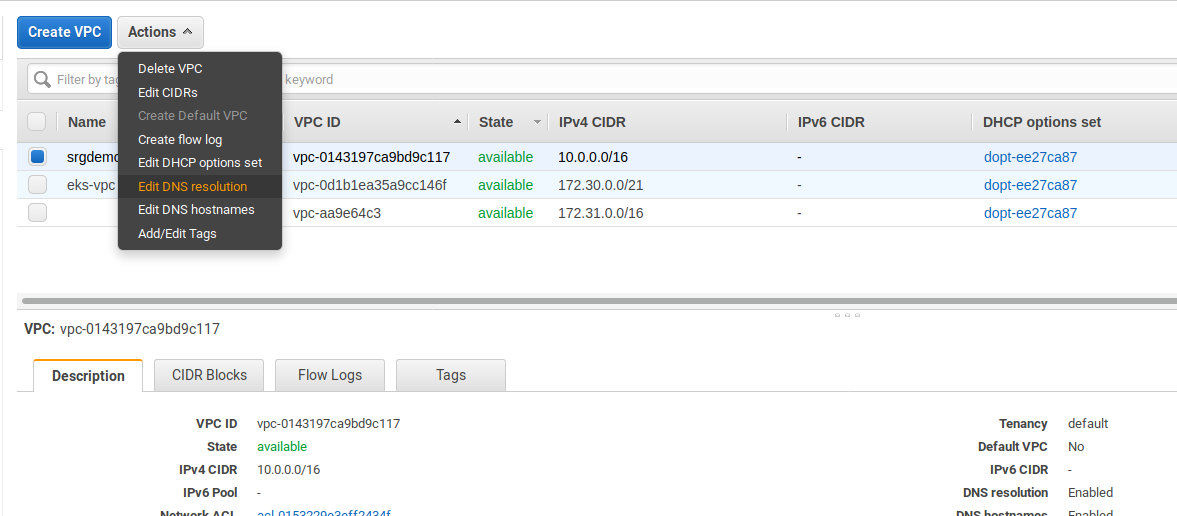
- Using the Find Services search tool, locate and browse to the VPC dashboard.
- On the left navigation panel, under click Your VPCs.
- Select the checkbox corresponding to your VPC. Then, under , select Edit DNS resolution.
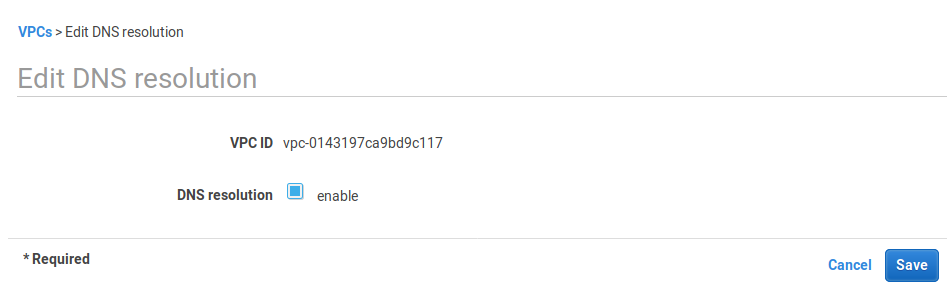
- On the Edit DNS Resolution page, for DNS resolution, select the enable checkbox.
- Click Save, then click Close.
To enable hostname resolution using the web UI:
- Using the search tool, locate and browse to the VPC dashboard.
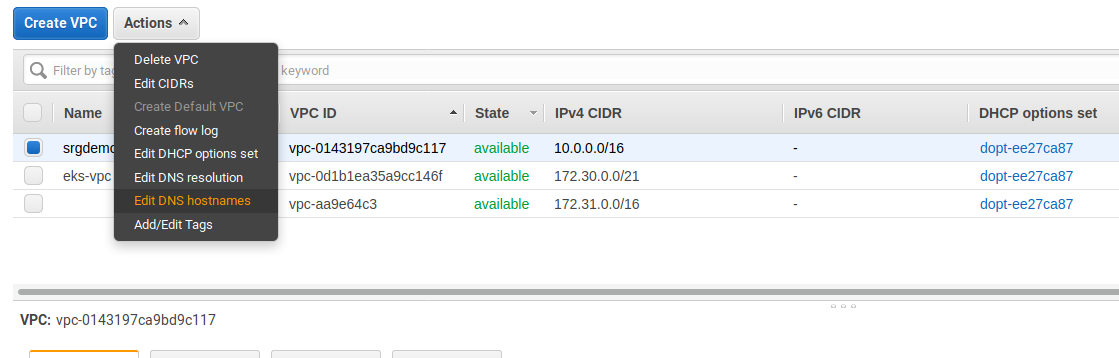
- On the left navigation panel, under , click Your VPCs.
- Select the checkbox corresponding to your VPC. Then, under , select Edit DNS hostnames.
- On the page, for , select the enable checkbox.
- Click Save, then click Close.
To enable DNS using the AWS CLI:
Execute the following commands in order, using the VPC ID of your created VPC:
# aws ec2 modify-vpc-attribute \
--vpc-id <VPC Id> \
--enable-dns-support

# aws ec2 modify-vpc-attribute\
 --vpc-id <VPC Id> \
--enable-dns-hostnames
For example:
# aws ec2 modify-vpc-attribute \
--vpc-id vpc-0143197ca9bd9c117 \
--enable-dns-support
# aws ec2 modify-vpc-attribute \
--vpc-id vpc-0143197ca9bd9c117 \
--enable-dns-hostnames
Next Step: Create the External IP Address