ArcSight Database Has Now Become Smarter!
This version of the ArcSight Database separates computing from storage to provide an intelligent and cost-effective way of storing security event data for the long term. Basically, instead of storing data locally, the database will use a single communal storage location for all data and metadata. Communal storage is the database's centralized storage location, shared among the database nodes. Communal storage is based on an object store, such as Amazon's S3 bucket in the cloud or a storage device for an on-premises deployment. The database relies on the object store to maintain the durable copy of the data.
Why is this new solution better? When using traditional database storage, the database nodes in your cluster store all the data for the retention period. Traditionally, as the ingestion rate and retention period increases, you must increase the number of database nodes. However, with this new solution, you don't need to add more database nodes as the retention period grows. Instead, you can increase the size of the communal storage, which is significantly less expensive to expand than adding database nodes. To expand communal storage, you purchase additional storage devices without purchasing additional CPU and memory.
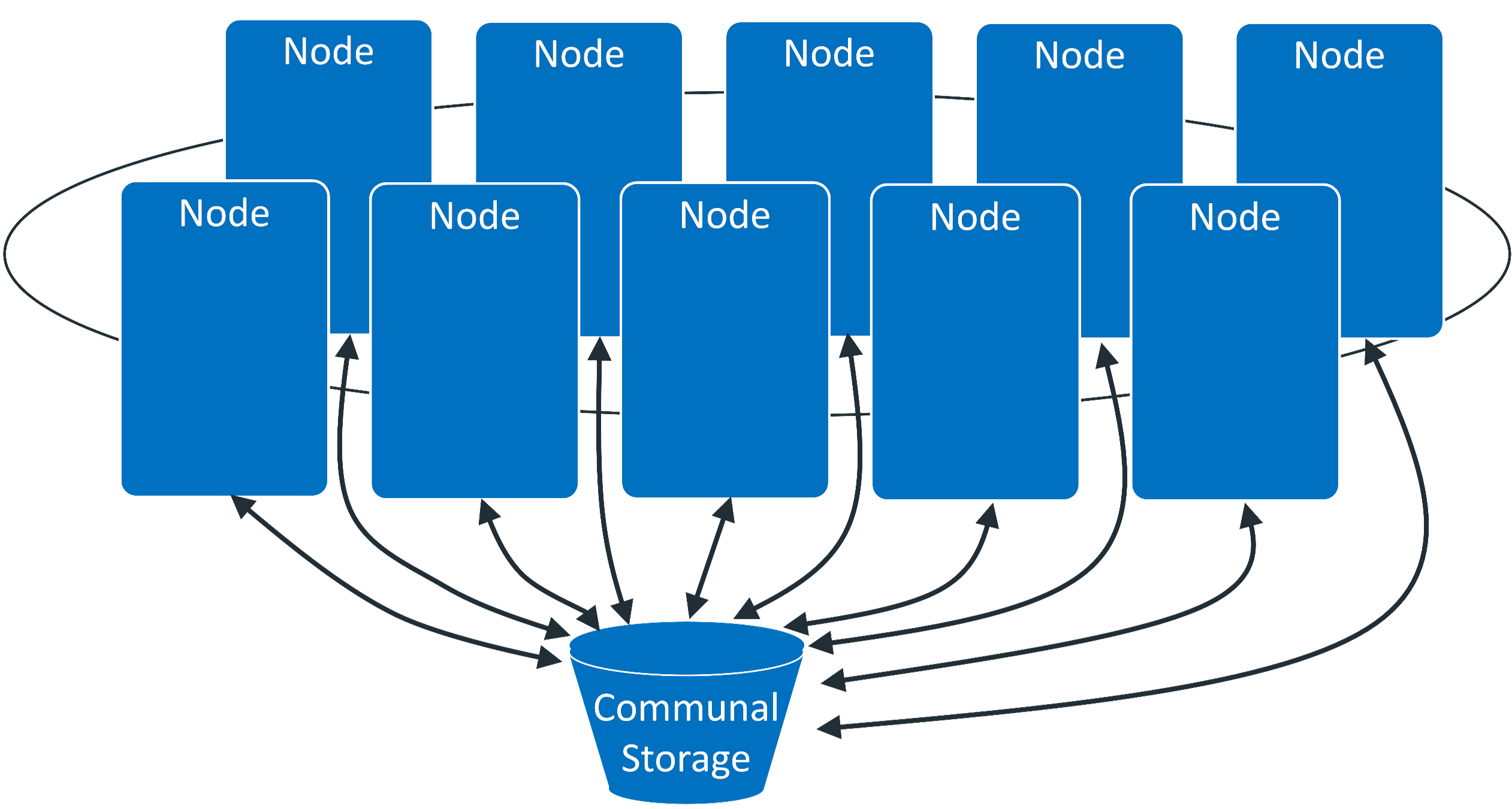
The database keeps the primary copy of your data in the communal storage, and the local cache serves as the secondary copy. This means that adding and removing nodes does not redistribute the primary copy. This shared storage model enables elasticity, meaning it is both time and cost effective to adapt the cluster resources to fit the usage pattern of the cluster. If a node goes down, other nodes are not impacted because of shared storage. Node restarts are fast and no recovery is needed. Thus, you do not need to keep track of and load/unload long- term retention event data explicitly. The ArcSight Database can bring them to the cache on demand automatically then move data out when not in use.
Within communal storage, data is divided into portions called shards. Shards are how the database divides the data among the nodes. Nodes subscribe to particular shards, with subscriptions balanced among the nodes. When loading or querying data, each node is responsible for the data in the shards it subscribes to.