Importing Logger Data
Does not apply in a SaaS environment
In a non-SaaS environment, you first import the event metadata, then the event data. Before you begin searching events imported from Logger, ensure that the data migrations have been completed. To start the procedure, please follow this checklist.
Logger event ingestion can continue during this procedure, up to the moment when the system advises you to stop ingestion.
Only one migration at a time can be done. If you plan to run migrations from different Loggers, run the migrations sequentially.
Only archive events from the current Logger instance are migrated to the ArcSight Database.The process does not migrate content, configuration, and data from Logger peers.
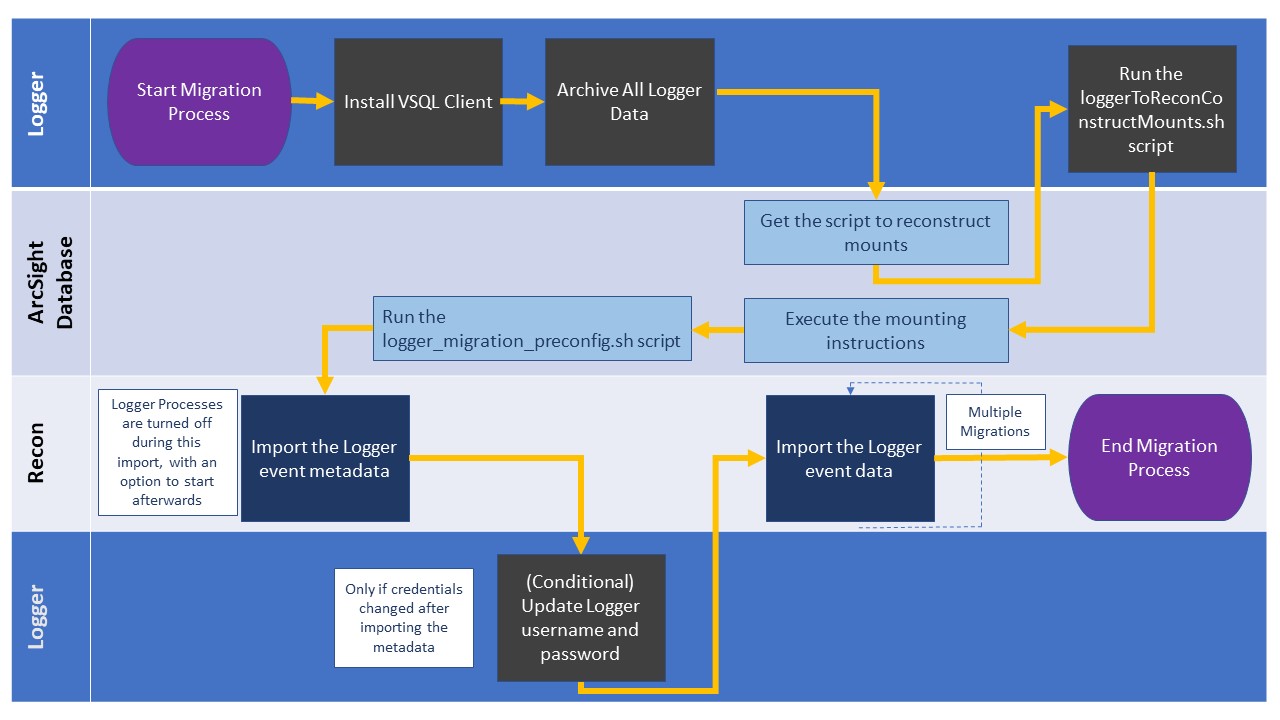
The following diagram shows the full process for importing event data from Logger to be used in the Fusion capability: