Microsoft Exchange Mailbox Access Auditing
Microsoft Exchange Server is the server side of a client-server, collaborative application product developed by Microsoft. It is part of Microsoft's line of server products, used by enterprises using Microsoft infrastructure solutions.
With Exchange Server 2010, Microsoft has added new native audit capabilities, such that the audit logs are maintained in the mailboxes themselves. Being able to get those audit logs is very difficult due to the potential number of mailboxes and the vast amount of data they might contain, and Windows Event Log integration for this will not work.
Therefore, for Microsoft Exchange 2010 and later versions, use the SmartConnector for Microsoft Exchange PowerShell, which retrieves Microsoft Exchange Server 2010 SP2 and 2013 Mailbox Audit logs remotely, and lets you specify the mailboxes to be audited.
Configuring Mailbox Access Auditing
You must complete the following tasks to enable mailbox access auditing:
 Enabling Auditing
To configure mailbox access auditing on a particular mailbox server:
-
Select the server in the Exchange Management Console .

-
Select the Manage Diagnostics Logging Properties menu option from the action pane.
The Manage Diagnostics Logging Properties window is displayed.
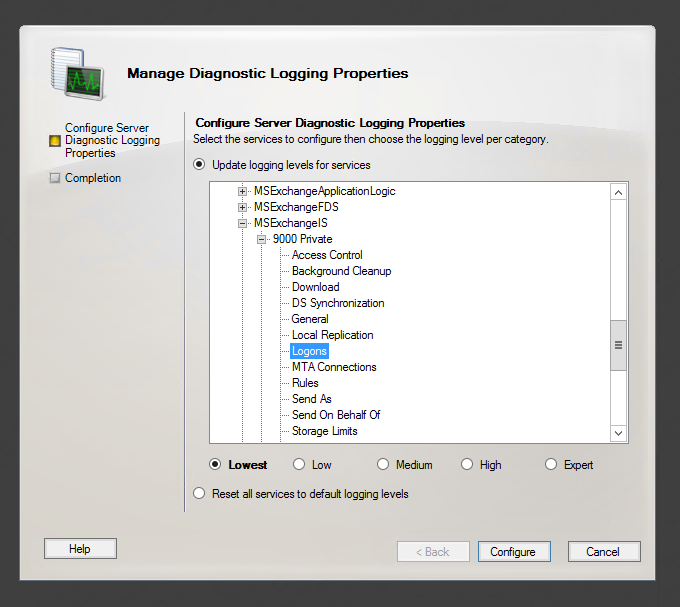
- Expand the MSExchangeIS category and then expand the 9000 Private category.
-
Under the MSExchangeIS\9000 Private category, configure auditing for any or all of the possible actions:
- Folder Access, to log events that correspond to opening folders, such as the Inbox, Outbox, or Sent Items folders
- Message Access, to log events that correspond to explicitly opening messages
- Extended Send As, to log events that correspond to sending a message as a mailbox-enabled user
- Extended Send On Behalf Of, to log events that correspond to sending a message on behalf of a mailbox-enabled user
- Click Configure.
For more information about Exchange mailbox access auditing, see http://www.msexchange.org/articles_tutorials/exchange-server-2007/compliance-policies-archiving/exchange-2007-mailbox-access-auditing-part1.html
For examples of configuring Exchange mailbox access auditing, see http://www.howexchangeworks.com/2009/09/mailbox-access-auditing-in-exchange.html
Changing the Default Log Storage location
By default, the logs are stored in the Exchange Server installation directory (Drive\Program Files\Microsoft\Exchange Server\Logging\AuditLogs). The logs are archived by default when the location gets full. Therefore, make sure that the location of the logs is changed to a drive that has enough free space.
To modify the log storage location, select the properties for the Exchange Auditing log and change the options.

Excluding Service Accounts
Service accounts that have full access to the mailboxes might fill up your mailbox access log with events. To exclude service accounts from being audited, run the following command:
Get-MailboxDatabase -identity "server\sg\dbname" | Add-ADPermission -User "service account" -ExtendedRights ms-Exch-Store-Bypass-Access-Auditing -InheritanceType All
Viewing Logged Events
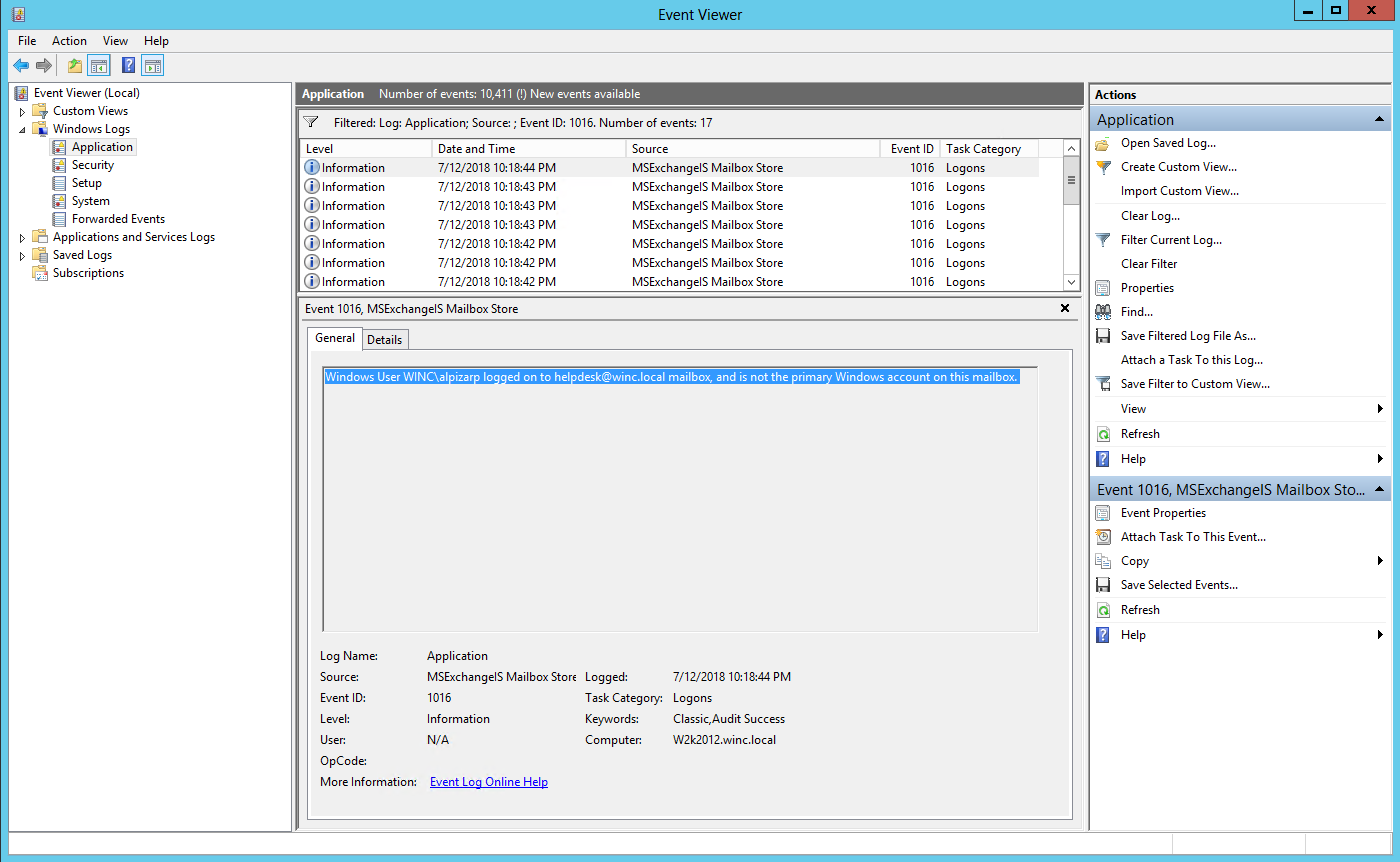
To view the information logged, navigate to Event Viewer > Applications & Services Log > Exchange Auditing.