mm/dd/yyyy format, or click the calendar icon ( ) to select a date. Do the same for the End Date field.
hh:mm:ss format, or accept the default start time of 00:00:00 and end time of 23:59:59.The Finished Tasks page displays the Scheduled Tasks that have finished running. The Finished Tasks page acts like a log of all Scheduled Task runs, with the most recently finished tasks on top.
To View Finished Tasks:
From the Configuration menu under Scheduled Tasks, click Finished Tasks.
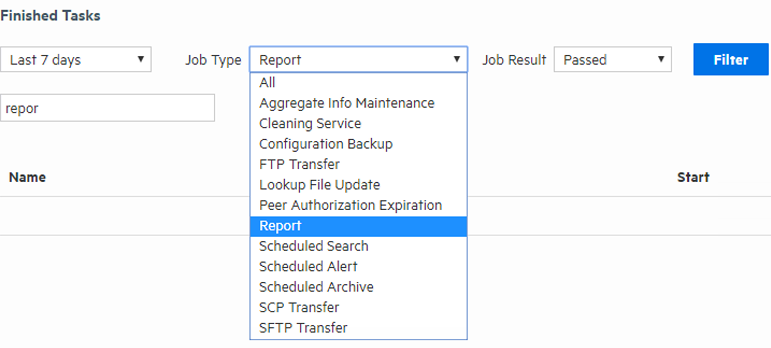
You can filter the task list by time or duration, job type, task result, or by text search. By default, the task list displays the finished tasks for the last 24 hours, displaying 20 entries per page.
Tip: Click Filter at any time to update the Finished Tasks list.
Filtering finished tasks by time
From the first filter menu, select one of the following options, or leave the default:
Filtering finished tasks by a specific date and time
When you select Custom Time Range, the Date and Time fields display.
mm/dd/yyyy format, or click the calendar icon () to select a date. Do the same for the End Date field.hh:mm:ss format, or accept the default start time of 00:00:00 and end time of 23:59:59.Filtering finished tasks by job type or task result
Optionally, select from the list of job types and job results to further narrow your search criteria. Click Filter to see your results, or add more filtering criteria.
Filtering finished tasks by text search
Optionally, enter a text word or phrase in the text search field to return a list of tasks containing the text. As you type, matching text will be highlighted. Click Filter to see your results.