Open topic with navigation
Creating a New Smart Dashboard
Pre-requisites:
Creating a Smart Dashboard requires an existing published report.
Procedure
-
From the Design section of the Reports menu, click Dashboards.
-
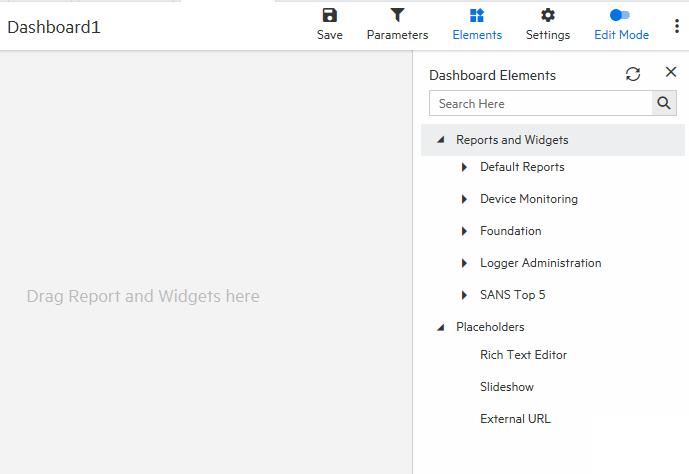
Enable the  option and click Elements
-
Locate your report on the dashboard elements menu and drag and drop it to the center of the screen. Logger adds the widgets.
- Click Save.
- To add slide shows, rich text editors, external URLs and categories, drag and drop them from the menu on the right. The widget menu can be displayed by clicking the
 on the upper right corner.
- From External URL settings you can change the name of the URL, set the refreshing time and add a description.
- From rich text settings you can change the name of the widget, enter text, edit the format and insert images or tables.
- From report settings you can name your widget, change the report you want to use, select a job, set the refreshing time, add a description, and change viewer toolbar options and instance navigation.
- From slideshow settings you can modify the refreshing time.
6. To edit a Smart Dashboard, enable the option.
7. To delete a Smart Dashboard, click Remove from the three dot menu.
8. To add a new Smart Dashboard click Add New Dashboard .