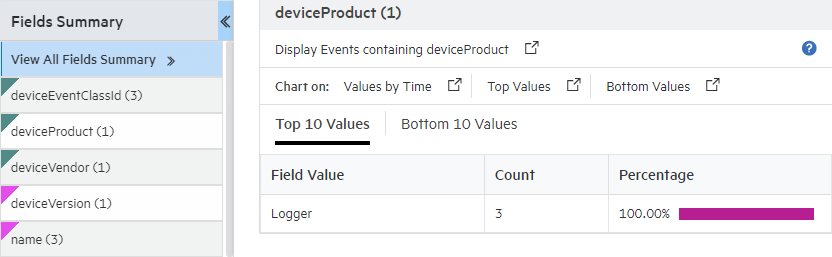
You can drill down on any of the listed fields or a specific value of the listed fields in the Fields Summary panel.
For example, you might want to view all events containing deviceEventClassId (specific field) or you might want to view events of deviceEventClassId “storagegroup:100” (specific value of a field).
For fields whose values are of type STRING, you can view all events, view the top ten, or create charts of the matching events. For fields whose values are of type NUMERIC, you can perform mathematical operations such as average, min, and max.
Every time you run a query or drill down on a specific field or value, a new query using the newly selected criteria is run and the Field Summary list is updated.
To view drill down in the field summary:
 to enable the field summary function.