Track Changes and document content indexing
Many applications - for example, Microsoft Word or Microsoft Excel - include the function Track Changes. It annotates a document with the additions, deletions and format changes to the document that different authors have produced.
These tracked changes can be hidden from view; therefore, you can only see the final result, but not the changes.
The apparent document content indexing irregularity occurs when Track Changes is active when a user checks in a document and not all changes have been rejected or accepted.
The check in process:
- indexes all text in the body text of the document
- indexes all text proposed to be added or deleted until proposed changes are either accepted or rejected
- does not index the text of previous revisions of the document stored within the document itself through the use of Microsoft Word's index versions function
- does not index text deleted, but yet to be removed from the physical file due to the Microsoft Word fast save function being active.
- indexes the text of all reviewing comments
Another user may then perform a document content search for the document by using a search phrase from the document that she knows is the final version of the phrase; however, because of the changes appearing in the document and being indexed, it actually reads quite differently.
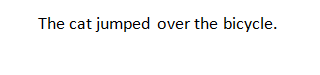
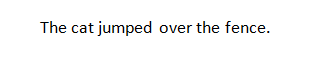
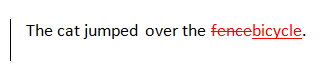
A user checks a document in to Content Manager that contains the phrase The cat jumped over the bicycle that was modified from The cat jumped over the fence and Track Changes is active - see example 2 and 3 below.
Another user then performs a document content search for the document by using the phrase The cat jumped over the bicycle. The search fails to return the checked in document that apparently contains this phrase.
The reason is that the document does not contain this phrase exactly - the actual content is both the proposed addition and the proposed deletion - see example screen shot number 2 below.
Original text
Original or final text showing markup
Final text