Navigating Reporting Center
Reporting Center is made up of three panes from which you can perform all the tasks related to data source connections, security settings, and reports.
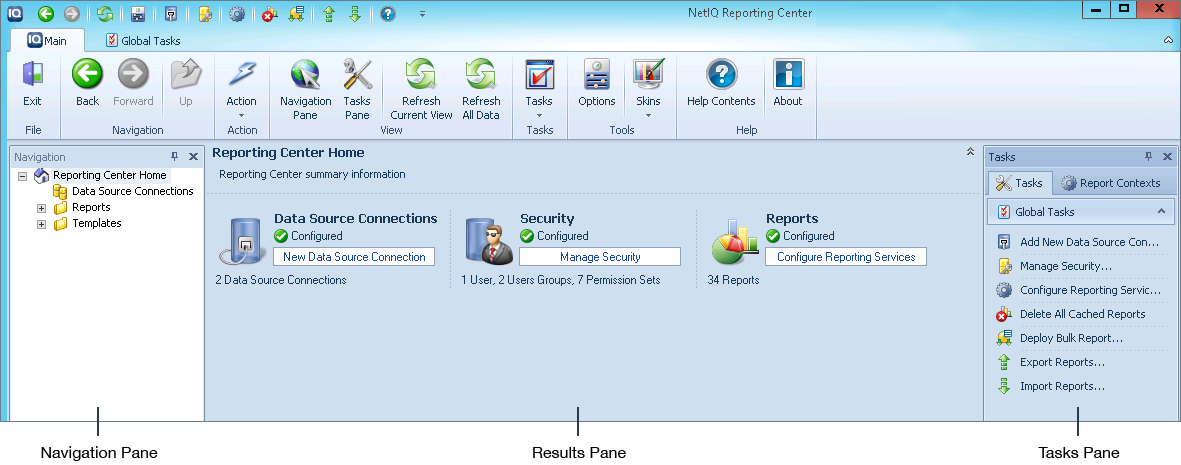
Results Pane
The center of the Reporting Center interface contains the Results pane, which displays any information related to the folder, report, or data source connection you select in the Navigation pane. For example, this pane includes the contents of a report or the details of a data source connection. When you modify report properties in Reporting Center and run a report, the Results pane displays the report with those changes.
Tasks Pane
The Tasks pane contains common functions you perform in Reporting Center. The contents change according to what you select in the Navigation pane. For example, if you select an individual report in the Navigation pane, the Tasks pane displays a list of the report-related tasks along with the Report Context tab, which contains the context controls for the report.