Scan Data
Viewing Scan Data
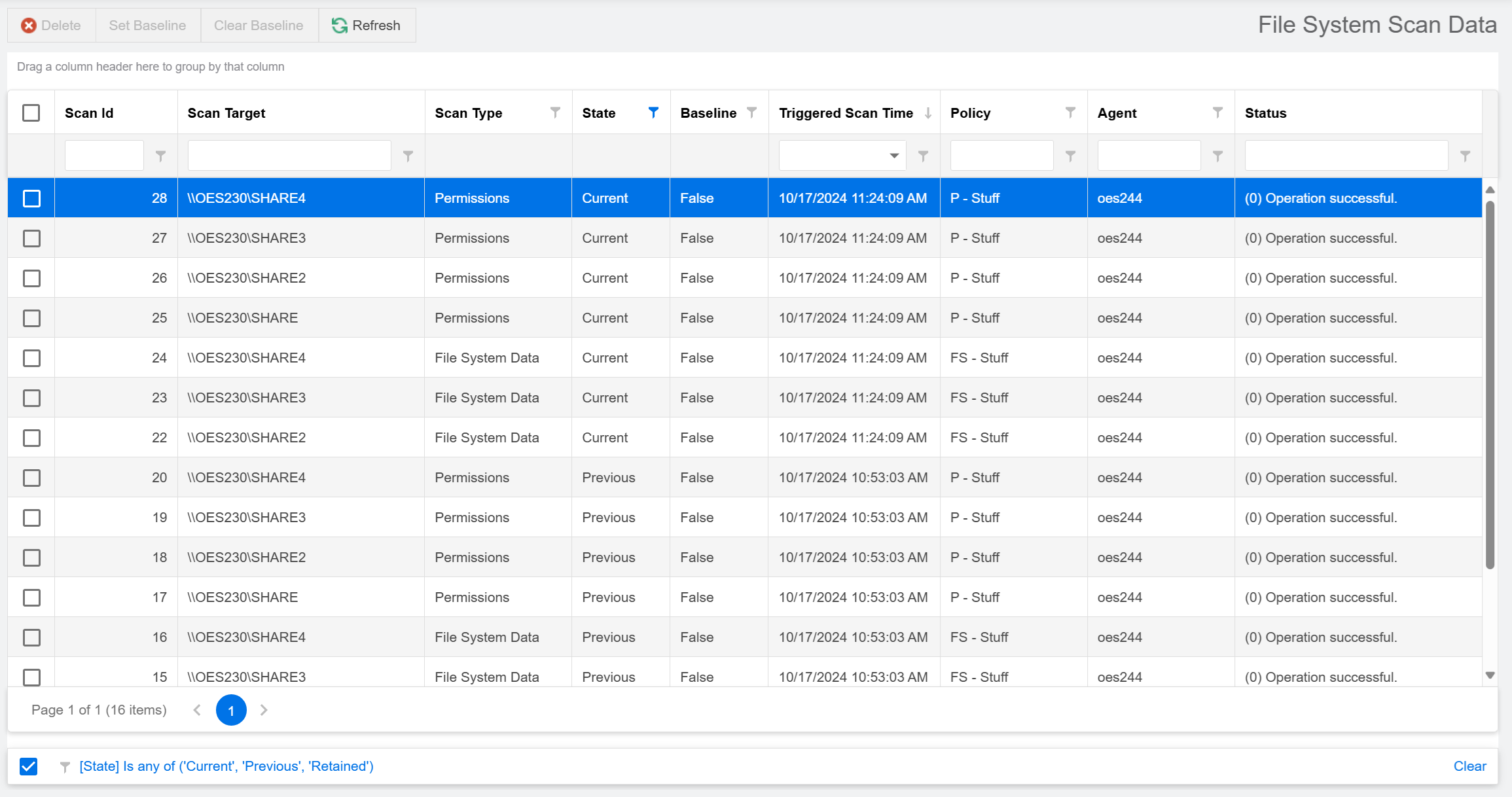
You can view a limited set of details for the currently-available scans for each scan target on the Scan Data page.
-
Select Scan Data in the File Systems menu.
Deleting Scan Data
To delete specific scan data:
-
Select Scan Data in the File Systems menu.
-
Check the boxes of the scans you want to delete.
-
Click Delete in the menu at the top of the page to open a confirmation dialog.
-
(Optional) Check the box for Delete Immediately to perform the data cleanup right away, rather than wait for the next scheduled cleanup interval.
IMPORTANT: The Delete Scans operation marks selected scans for cleanup on the next maintenance interval by default. Scheduled cleanup is performed by the Engine, which is the recommended option. Deleting scans with the Delete Immediately option is performed by the Web Application directly and may result in timeout errors if the operation takes too long, especially with large scan sets.
-
Click Yes to confirm and close the dialog.