Scan History
You can view a complete history of all scans, along with details of the scan and basic information about the storage resource at the time of the scan, including file and folder count.
-
Select Scan History in the File Systems menu.

-
Click a column to list the data in ascending or descending order.
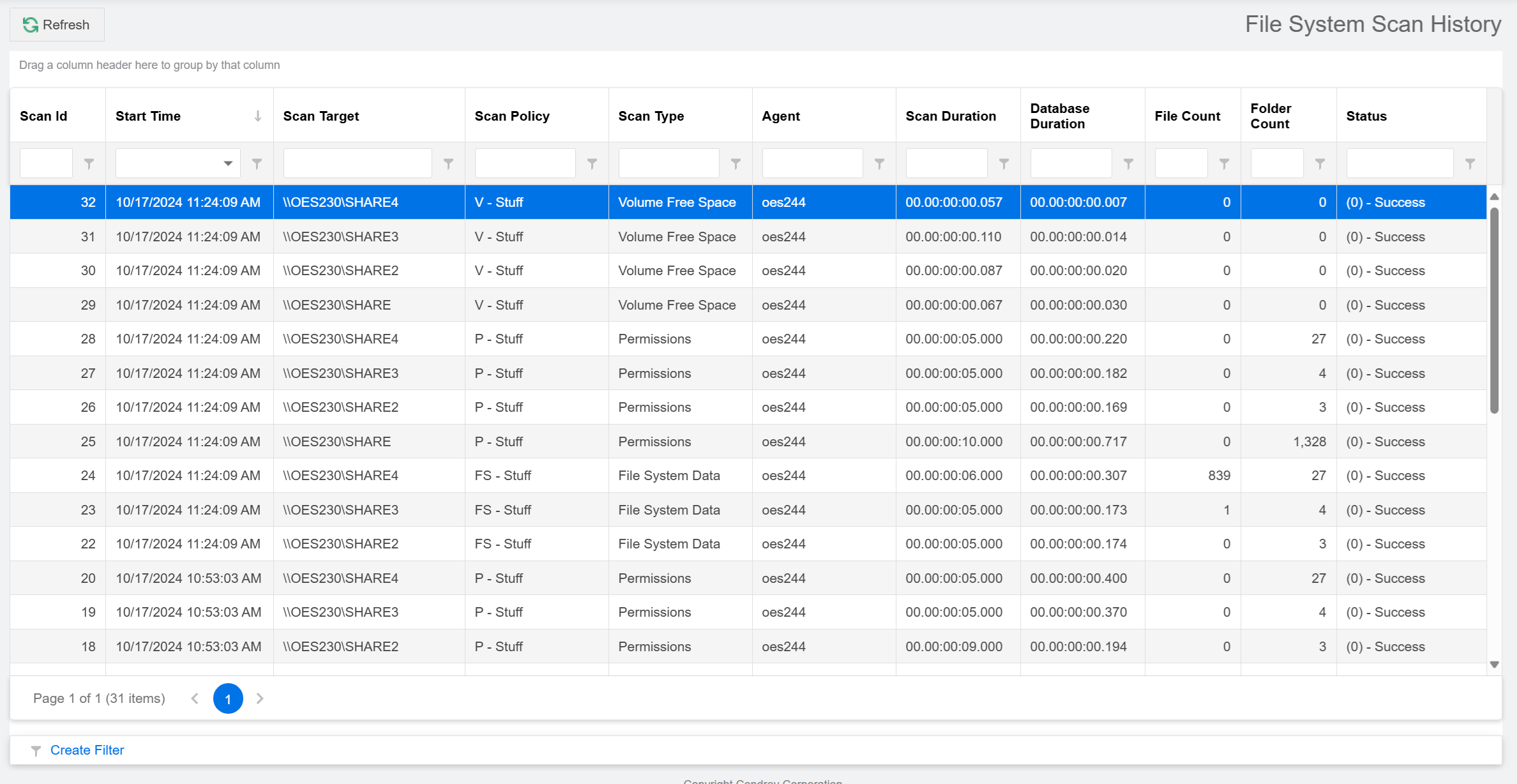
NOTE: Because the Scan History page logs each successful scan, the most efficient way to locate a scan is to use a filter.