Filename Extension Report
The Filename Extension report presents data grouped according to the filename extension. This report helps determine file types that you do not want stored on your network drives. For example, you can easily identify who is storing .MP3 or .MOV files.
NOTE: File extensions in File Reporter are limited to 32 characters. File extensions longer than 32 characters are considered part of the file name and not as an extension.
-
Select Reports > Report Definitions.
-
Click Add.
-
In the Name field, specify a descriptive name of the report definition.
-
Select the Filename Extension option and click OK.
-
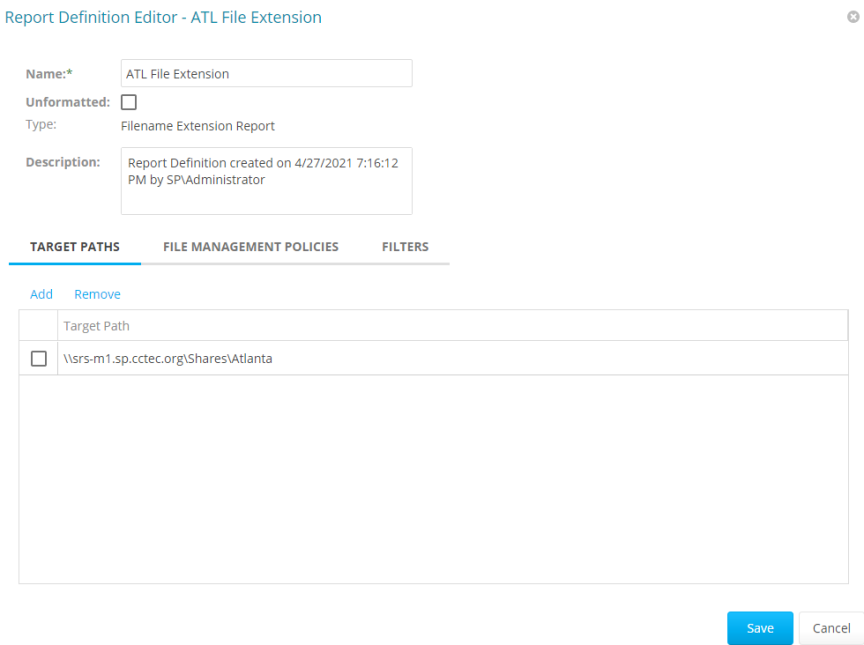
From the Target Paths tab, click Add.
-
Browse and specify the file paths you want included in the report and click OK.
-
(Optional) Click the Filters tab and set the filters for the report.
For information on using the filtering capabilities of File Reporter, refer to Built-in Report Filtering
-
Click Save.
-
Generate the report as either a Preview report or a Stored report.
For procedures on generating a Preview report, see Preview Reports
-
For procedures on generating a Stored report, see Stored Reports
-
(Optional) Generate a Detailed report on an individual file extension by clicking a file extension name in the report.
