fortify.home\ssc\conf directory and, in the version.properties file, set maintenance.mode to false.Restore the missing files from the fortify.home\ssc\conf directory.
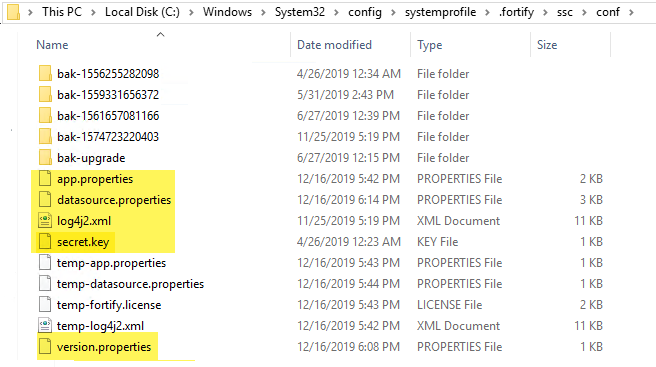
Fortify Software Security Center goes into maintenance mode when it is placed there from the ADMINISTRATION view (see Placing Fortify Software Security Center in Maintenance Mode), or it cannot locate the version.properties in the fortify.home\ssc\conf directory.
If your Fortify Software Security Center instance is stuck in maintenance mode, try one of the following:
fortify.home\ssc\conf directory and, in the version.properties file, set maintenance.mode to false.Restore the missing files from the fortify.home\ssc\conf directory.
Note: The datasource.properties file and some database fields contain encrypted entries that rely on the secret.key file. So, if you are moving your Fortify Software Security Center instance from one computer to another, you must also move the secret.key file (not just your database files).
|
© Copyright 2008 - 2021 Micro Focus or one of its affiliates |
|