Viewing high-level summary metrics for an application version
To view high-level summary results for an application version:
On the header, select Dashboard or Applications.
Select the application version you are interested in, and then select Overview.
On the OVERVIEW page, if the pane on the right is collapsed, expand it.
The Version Progress area displays summary information with trending arrows.
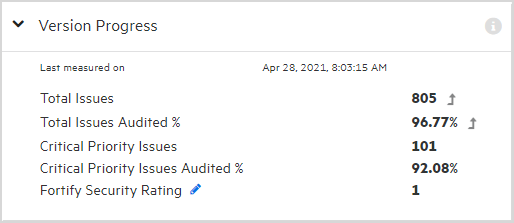
To display a metric other than Fortify Security Rating, click the Edit button
 , and then select a different metric to display from the list.
See Also