Viewing scan artifact details
To view the details available for uploaded scan artifacts:
On the header, select Dashboard or Application.
Select the application version for which you want to view artifact details, and then select the Artifacts page.
The ARTIFACT HISTORY table lists all scan artifacts uploaded for the application version.
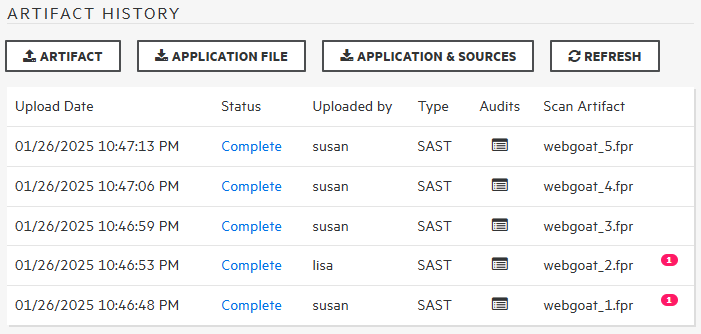
To view details for an artifact, click the corresponding row.
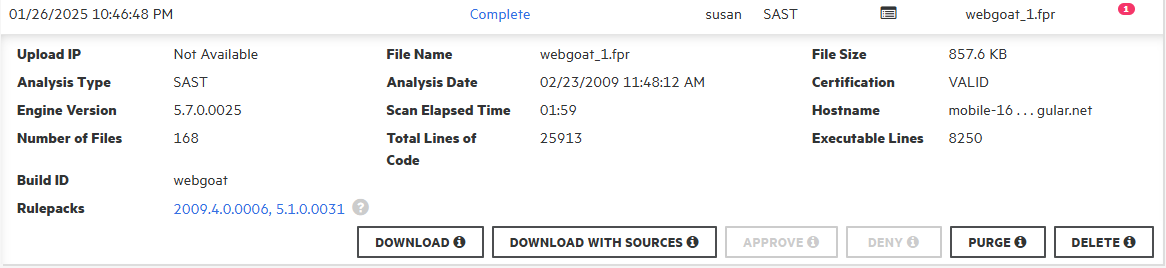
The details shown include the analysis engine version, number of files and lines of code scanned, the analysis date, and more.
If an error occurred in processing the uploaded artifact, the Status column of the ARTIFACT HISTORY table displays Error Processing. A number on the right indicates the number of processing rules violated.
To view the lines of code associated with any processing errors for the scan, click the circled number (
 ).
).The SCAN WARNINGS box displays the line of code where processing rules were violated, along with a description of the violation.
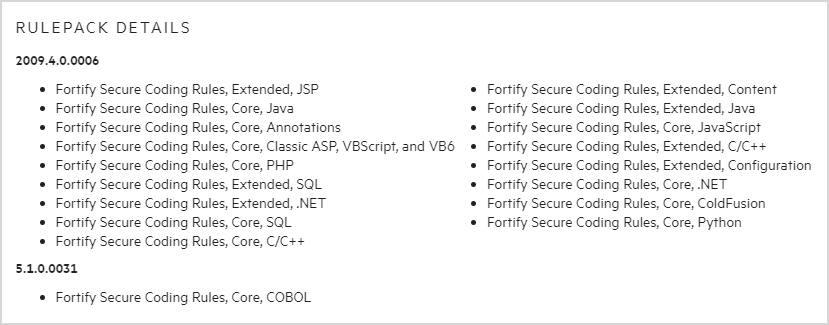
To view a list of the coding rules applied during the scan, grouped by the Rulepack version, click the Rulepacks version link.
If a scan artifact requires approval based on analysis result processing rules, it must be approved before processing. For information, see Approving analysis results for an application version.
See Also
Setting analysis results processing rules for application versions