Viewing issue metadata
To view metadata for an issue:
Open the AUDIT page for the application version of interest.
In the issues table, if you have selected a grouping, expand a group to view issues it contains.
Click the row that displays the issue name.
The Code tab displays an overview of the issue, the Analysis value (if set), the stack trace, and the section of code in which the issue was uncovered.
Click the INFO tab, and then click to expand METADATA.
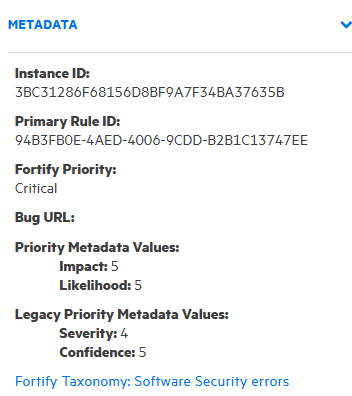
The metadata information includes the unique issue identifier (Instance ID), the unique identifier for the rule that generated the issue (Primary Rule ID), the bug URL (if applicable), priority metadata values, and legacy priority metadata values.
The instance ID displayed is unique to the specific application version and is not associated with any other application versions.
To go to the website that provides detailed information about software security errors, click the Fortify Taxonomy: Software Security errors link.