Running the Fortify ABAP Extractor
To run the Fortify ABAP Extractor:
Start the Fortify ABAP Extractor from the Favorites link, the transaction code, or manually start the Extractor object.
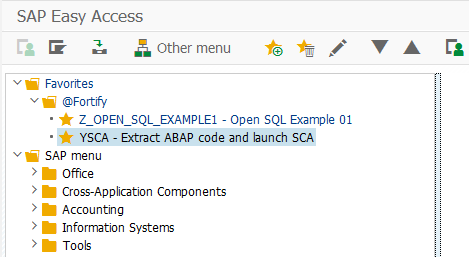
This opens the Fortify ABAP Extractor.
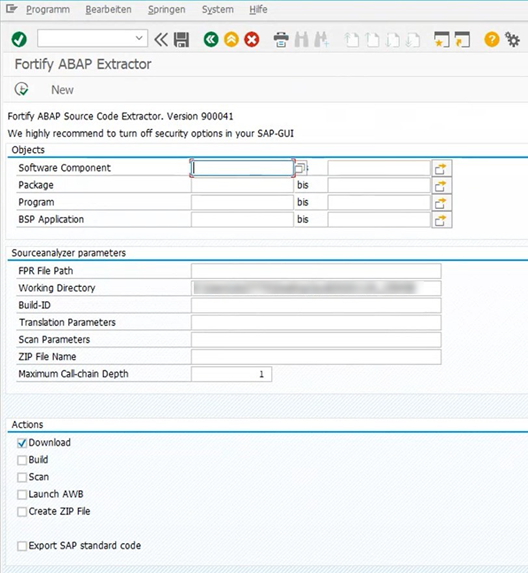
Select the code to download.
Provide the start and end name for the range of software components, packages, programs, or BSP applications that you want to scan.
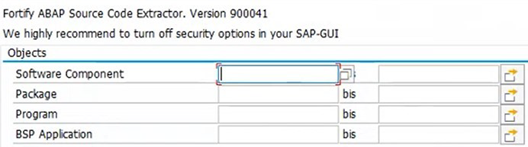
You can specify multiple objects or ranges.
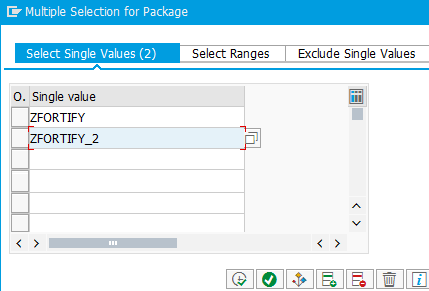
Provide the OpenText SAST-specific parameters described in the following table.
Field Description FPR File Path (Optional) Type or select the directory where you want to store the scan results file (FPR). Include the name for the FPR file in the path name. You must provide the FPR file path to automatically scan the downloaded code on the same machine where you are running the extraction process.
Working Directory Type or select the directory where you want to store the extracted source code.
Build-ID (Optional) Type the build ID for the scan. OpenText SAST uses the build ID to identify the translated source code, which is necessary to scan the code. You must specify the build ID to automatically translate the downloaded code on the same machine where you are running the extraction process. Translation Parameters (Optional) Type any additional OpenText SAST command-line translation options. You must specify translation options to automatically translate the downloaded code on the same machine where you are running the extraction process or to customize the translation options. Scan Parameters (Optional) Type any OpenText SAST command-line scan options. You must specify scan options to scan the downloaded code automatically on the same machine where you are running the extraction process or to customize the scan options.
ZIP File Name (Optional) Type a ZIP file name if you want your output in a compressed package.
Maximum Call-chain Depth A global SAP-function F is not downloaded unless F was explicitly selected or unless F can be reached through a chain of function calls that start in explicitly-selected code and whose length is this number or less. OpenText recommends that you do not specify a value greater than 2 unless directed to do so by Customer Support. Provide action information described in the following table.
Field Description Download Select the Download check box to have OpenText SAST download the source code extracted from your SAP database. Build Select the Build check box to have OpenText SAST translate all downloaded ABAP code and store it using the specified build ID. This action requires that you have an installed version of OpenText SAST on the machine where you are running the Fortify ABAP Extractor. It is often easier to move the downloaded source code to a system where OpenText SAST is installed. Scan Select the Scan check box to have OpenText SAST run a scan of the specified build ID. This action requires that the translate (build) action was previously performed. This action requires that you have an installed version of OpenText SAST on the machine where you are running the Fortify ABAP Extractor. It is often easier to move the downloaded source code to a predefined OpenText SAST machine. Launch AWB Select the Launch AWB check box to start Fortify Audit Workbench and open the specified FPR file. Create ZIP File Select the Create ZIP File check box to compress the output. You can also manually compress the output after the source code is extracted from your SAP database. Export SAP standard code Select the Export SAP standard code check box to export SAP standard code as well as custom code. Click Execute.