Diagram tab
The Diagram tab displays a graphical representation of the node execution order, call depth, and expression type of the issue selected in the Issues view. This tab displays information that is relevant to the rule type. The vertical axis represents the execution order.
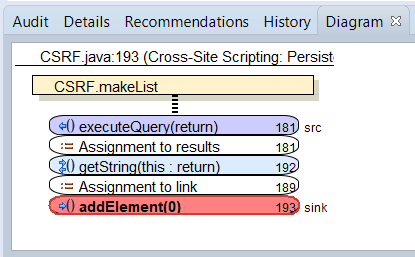
For dataflow issues, the trace starts with the first function to call the taint source, then traces the calls to the source (blue node) and ends the trace at the sink (red node). In the diagram, the source (src) and sink nodes are also labeled. A red X on a vertical axis indicates that the called function finished executing.
The horizontal axis shows the call depth. A line shows the direction that control is passed. If control passes with tainted data through a variable, then the line is red. If control passes without tainted data, the line is black.
The symbols used for the expression type of each node in the diagram are the same symbols used in the Analysis Trace view. For a description of the symbols, see Analysis Evidence View.