Filtering issues with the Audit Guide
You can use the Audit Guide wizard to filter vulnerability issues in your audit project based on a set of security-related questions.
To use the Audit Guide:
-
From the Fortify extension menu, select Audit Guide.
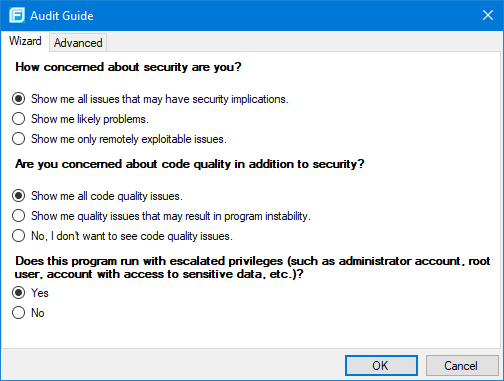
- Select the settings for the types of issues you want to display.
-
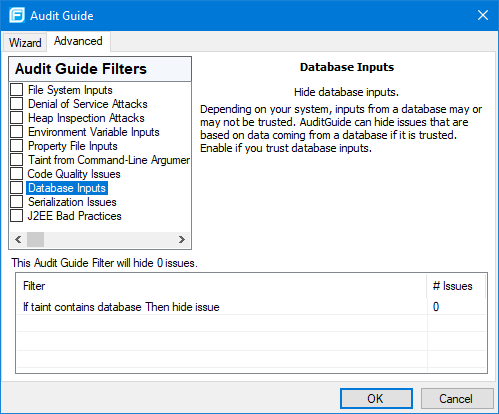
To use the advanced filtering options, select the Advanced tab.
-
In the Audit Guide Filters list, select the types of issues to filter out and ignore.
To see a description on the right side, click an issue type.
As you select items in the Audit Guide Filters list, the Fortify Extension for Visual Studio displays the filter details for this issue type below the Audit Guide Filters list and shows the number of issues found by each filter.
-
- Click OK to apply your filter selections.