4.2 Home Page
Figure 4-2 Home Page
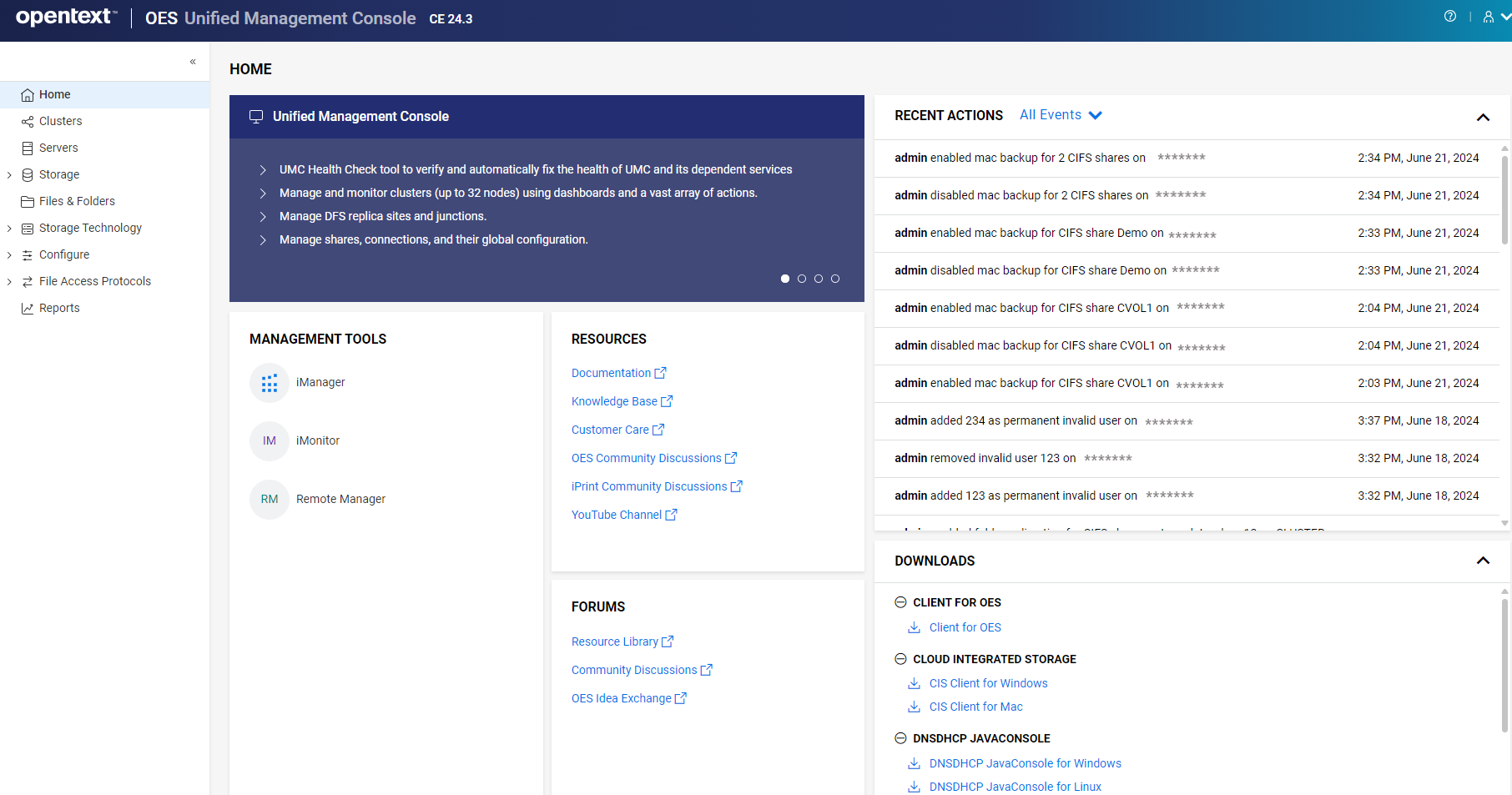
The UMC home page is the default landing page for all users.
-
Highlights– Displays the high-level features of the release.
-
Recent Actions – Displays a list of actions performed on the system by the logged-in user through UMC.
-
Downloads – Contains the links to download the OES clients.
-
Resources – Links to various resources such as documentation, knowledge base, YouTube channel, and so on.
-
Forum – Links to Community discussions, resource library, and Idea forum.
-
Management Tool – Links to various tools that are used to manage OES and its services. Click the tool to know more about it. These tools will be deprecated in the upcoming releases with UMC.
OES Services
-
Cluster - Manage cluster and resources.
-
BCC - Manage Business Continuity Clustering.
-
Server - Modify OES server settings. Currently, only NCP server settings can be managed.
-
Storage - Manage pools, volumes, pool snapshots, user quotas, partitions, software RAIDs, and devices.
-
Files & Folders - Manage rights, quota on files and folders.
-
Storage Technology - Manage DFS replica and junctions.
-
File Access Protocols - Manage CIFS and NCP shares and connections on a server.
-
Reports - Generate report for clusters.
-
Users & Groups - Manage workstations, groups, users, and Linux configuration object.
-
Identity Console - Launches Identity Console. Identity Console is used to administer eDirectory objects, users, schema, partitions, replicas, and rights on an OES server.