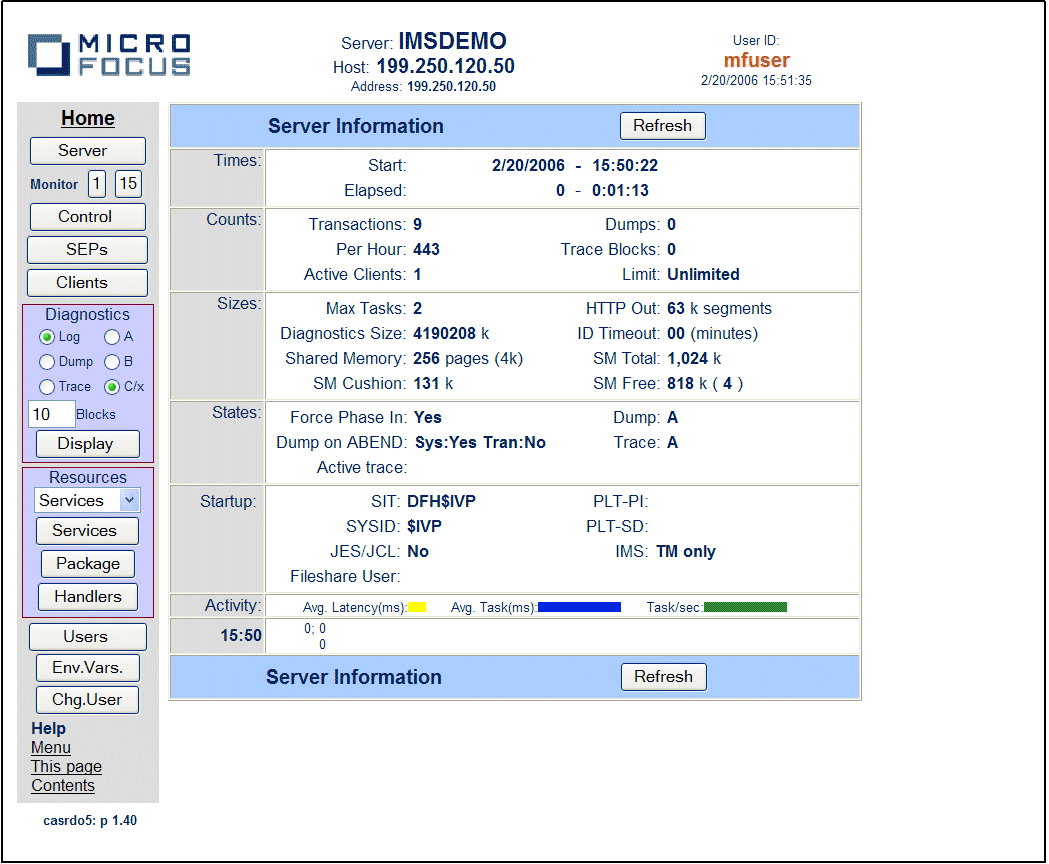
Figure 18-1: ESMAC Server information page for IMS
This chapter describes how you can use Enterprise Server Monitor and Control to run IMS applications on an MSS-enabled enterprise server.
You can use Enterprise Server Monitor and Control (ESMAC) to run and monitor IMS applications. You can also use all the facilities described in the chapter Administering Servers Using ESMAC in your Enterprise Server Configuration and Administration Guide, and in the help topics grouped under Administer a Server Using ESMAC. You should familiarize yourself with the contents of that chapter and the associated help topics before reading this chapter. If you want to find out about maintaining resources for running CICS applications, see the chapter Administering CICS-enabled Enterprise Servers using ESMAC.
When you first view ESMAC for an IMS-enabled enterprise server, the Server Information page is displayed, as shown in Figure 18-1:
Figure 18-1: ESMAC Server information page for IMS
When you run ESMAC on an IMS-enabled enterprise server, you can use it to perform a wide range of administrative functions. Because of the integration between support for IMS and CICS within Enterprise Server, most of these administrative functions are described in the chapter Administering CICS-enabled Enterprise Servers. In addition, you can use ESMAC to create temporary MPRs, as described in the section Temporary MPRs.
As well as defining permanent message processing regions, as described in the section Adding a Message Processing Region to a Resource Group in the chapter Configuring IMS-enabled Enterprise Servers , you can define temporary ones that exist only until an enterprise server is stopped.
To start a temporary MPR:
The IMS Control page that appears is for starting MPRs and creating an internal diagnostic view of IMS TM message queues.
The MPR starts immediately and lasts until the enterprise server is stopped.
Like all SEPs, any MPRs you define are shown, together with their statuses, on the SEPs page in ESMAC. Click SEPs near the top left of the ESMAC menu to display this. MPRs are displayed in the IMS MPR section.
Copyright © 2009 Micro Focus (IP) Ltd. All rights reserved.