Importing Policies
Previously-exported policies are imported with the Import Policies feature.
-
Click the Main tab in the Admin Client.
-
Click Policy Management.
-
Select Import Policies from the Manage drop-down menu.
-
Browse the directory to locate and select the saved export file.
-
Click Next.
-
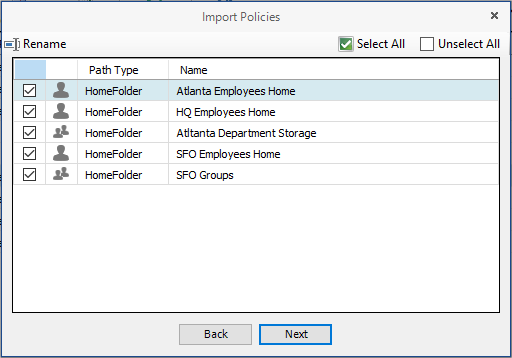
Verify that the check box for each policy you want to import is selected.
-
Click Next to open a status page indicating which policies were imported, and when the import process is complete.
-
Click Close.
