 previous
 next
next

This scenario is for a new installation of both Reflection for the Web and Management and Security Server on the same machine. When the automated installer does not detect an installation of Management and Security Server on the machine where you are installing Reflection for the Web, you are prompted as follows:
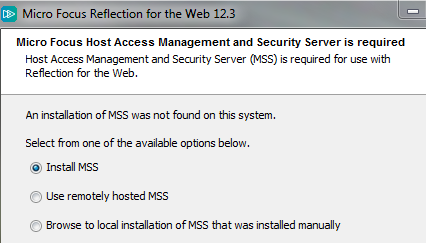
Select .
Click to start the installation of Management and Security Server (MSS).
Proceed through the MSS installer and run the Initial Configuration Utility to configure Management and Security Server.
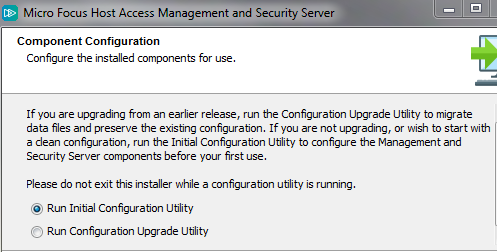
When prompted, you have the option to that were installed.
When the MSS Installation is Complete, the installed components are listed. Click the link to start using Management and Security Server.
Next, the Reflection for the Web application will be installed into Management and Security Server. The default [Windows] location is
C:\Program Files\Micro Focus\MSS\server\web\webapps\rweb-client
If prompted, restart the MSS server.
When the Reflection for the Web 12.3 installation is complete, click .