Taking a Snapshot
A snapshot is a record of qualifying events that occurred over a specified period of time and evaluated according to the snapshot profile. When the Pattern Discovery algorithm runs on the specified data set, it displays the result as a graphic, which you can use for investigation and analysis.
You can generate snapshots manually, or run them on a schedule.You are likely to generate snapshots more frequently during the early stage of implementation, when you are establishing a baseline of normal patterns. Each snapshot is stored in the Navigator panel in Pattern Discovery on the Snapshots tab.
You can also discover patterns directly from active channels. Right-click a channel in the Navigator panel and choose Discover Patterns.
To take snapshots:
- In the Navigator panel, go to Pattern Discovery and click the Profiles tab.
- Right-click a profile in the resource tree and select Take Snapshot.
-
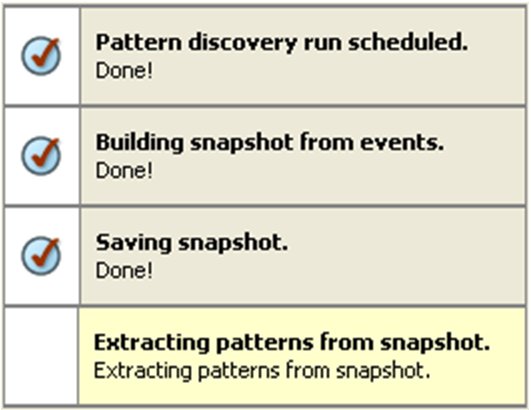
In the Viewer panel, the system processes the snapshot request and shows each process as the Pattern Discovery engine runs:
-
When the process finishes, the system displays the snapshot in the Viewer panel. See Exploring a Snapshot to continue.
Tip: If the pattern is empty, no events passed the profile’s filter restrictions during the specified period. Adjust these profile specifications and generate the snapshot again.