Choosing the Password Method to Log In
If you want to use a password to log in, specify the Password method for authenticating your account.
-
Log in to the Advanced Authentication service.
-
Check your email for a one-time password (OTP) code sent by the authentication service.
-
Enter the OTP sent to the email address for your ArcSight Tenant Administrator account, then click .
-
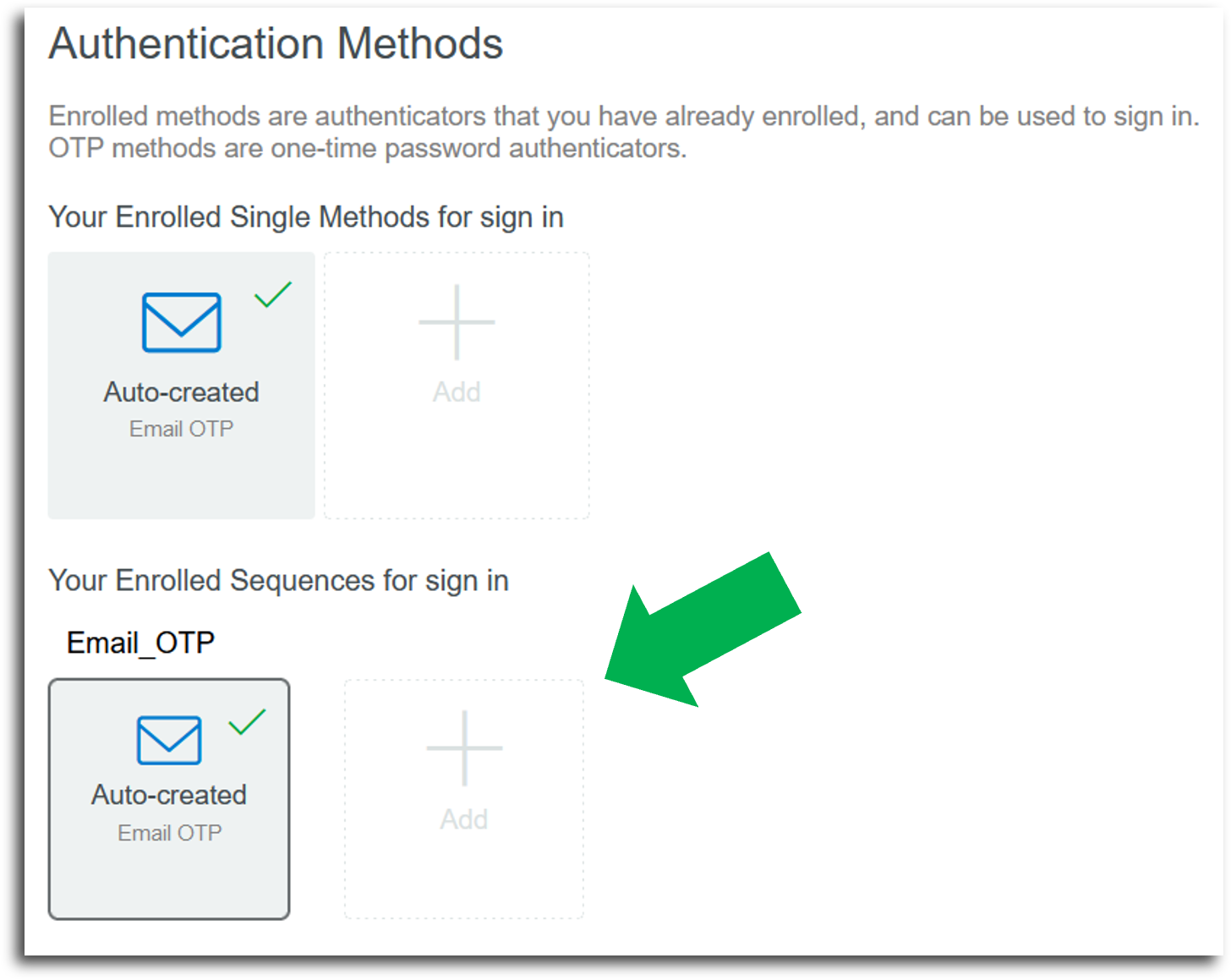
Under Your Enrolled Sequences for sign in on the Authentication Methods page, click .
Figure 1. The green arrow indicates the appropriate option that you should select
-
Click the option.
-
Specify the password that you want to use for your ArcSight account, then click .
-
Sign out of the Advanced Authentication service.
-
After successfully creating your password, you can now log in to ArcSight with your password instead of with an Email OTP code.
Use the link provided by your ArcSight administrator. For example, https://<your_tenant_name>.mp.cyberresprod.com