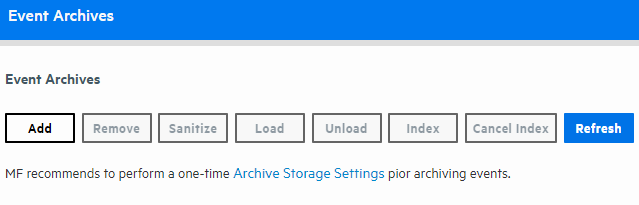
Event Archives enable you to save the events for any day in the past, not including the current day.
Caution: Ensure that both Configuration Backups (for configuration settings) and Event Archives (for data) run on a regular basis and are stored in a remote location. In the event of catastrophic failure, you will need to restore the most recent Configuration Backup and Event Archive. See Configuration Backup and Restore for additional details.
Logger uses the receipt time of an event to determine its archival day. For example, an event with a time stamp of 11:55:00 PM on December 7 is received at 12:01:00 AM on December 8 on the Logger. This event is archived in the archive file created for December 8th and not December 7th. When an archive operation occurs, one archive file per storage group is created at the location specified in Archive Storage Settings. Each archive file contains events from 12:00:00 AM to 11:59:59 PM for a single storage group of any given day. When you specify a range of dates, one archive file per storage group, for each specified day is created.
You can archive events in two ways: manually and scheduled. When archiving events manually, you specify the start and end dates of the event archive, and the storage groups that should be archived. This operation occurs once for the specified date range. When scheduling event archives, you specify the time at which the archive operation should occur every day and select the storage groups that should be included.
Note: You cannot set event archives to start at 1 AM for scheduled archives. This restriction is by design to account for the Daylight Savings Time (DST) changes.
When Logger starts archiving, it proceeds sequentially through the various storage groups, as listed on the Daily Task Settings page (for scheduled archives) or the Add Event Archives page (for manual archives).
Once the events have been archived, they are not deleted from the local storage until the events (and their related indexing information) age out due to the Maximum Live Data. These events continue to be included in search operations until they age out.
Once events that have been archived are deleted from Logger's local storage, they are not included in search operations. To include such events in search operations, you must load the archive in which those events exist back to the Logger. When an Event Archive is loaded, its events are included in searches, but the archive itself remains on the remote storage.
Nevertheless, archived events on a remote storage can also have a retention period. By editing the correspondent storage group, the user can determine a maximum age parameter. Maximum Archives Age (Days) prevents the user from taking additional steps to periodically clean the remote system space. Once the retention policy is triggered, the non-compliant archives are removed from the database and file system with no option for rollback or backup. For information about setting archived events retention policy, see Storage Groups
The source type information (if associated with an event) is preserved when the event is archived. For information on creating and using source types, see Source Types
Pre-requisite for adding, deleting, loading or unloading event archives:
Prior to archiving any events, you need to specify an archive location when configuring the Archive Storage Settings. Otherwise, the buttons (remove, sanitize, load, unload, index, cancel index) will appear as disabled.
Archives can be added manually or automatically to the storage group that has a mount configured. You can also disable the storage groups with no mount configured. For additional details, review the Archive Storage Settings.
Events in each storage group are archived separately. That is, one archive file is created for each storage group, for each day. In addition, you can specify a range of dates to archive events in a single archive operation.
 See Also