Submitting a Bug for One or More Issues
If a bug tracking plugin has been specified for an application version A particular iteration of the analysis of a codebase as it applies to Fortify Software Security Center. An application always begins with a first version. An administrator adds new versions, as needed. (see Assigning a Bug Tracking System to an Application Version), you can submit bugs that cover one or multiple issues.
To submit a single bug that covers multiple issues:
-
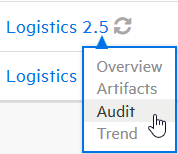
From the Fortify Software Security Center DASHBOARD, move your cursor to the application
A customer codebase evaluated by Fortify software. The top-level container for one or more application versions. When you work with a new codebase, the application and first application version are automatically created. An application includes one or more application versions that users create and configure. version for which you want to submit bugs, and then select Audit from the shortcut menu.The AUDIT page opens.
-
To display the issues of interest, use the Fortify Priority risk links, the Group by list, and Filter by lists. (SeeViewing Issues Based on Fortify Priority and Filtering Issues for Display on the OVERVIEW and AUDIT Pages.)
-
After you review the issues, select the check boxes for one or more issues tagged as exploitable and for which you want to submit in a single bug.
-
Click File issues
 .
.Note: If, after you select one or more check boxes, file issues is not enabled, you first need to set up a bug tracker for the application version. (See Assigning a Bug Tracking System to an Application Version.)
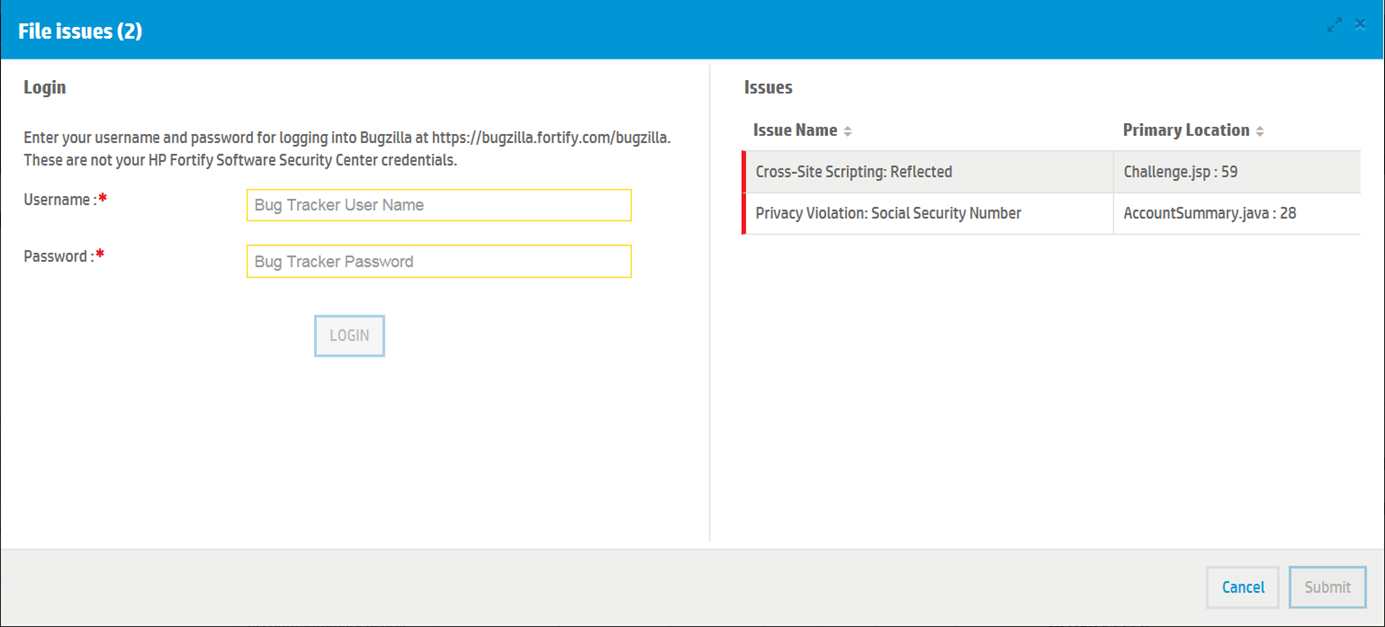
The File Issues dialog box opens.
-
Provide your credentials for your bug tracking system, and then click LOGIN.
Fortify Software Security Center retains your credentials for the duration of your work session
A session is a matched set that contains both the client request and server response. For Internet applications, each session is associated with a particular port. so you do not have to provide them to file additional bugs during that session.After Fortify Software Security Center connects to the bug tracking server, the File Issues dialog box displays the required bug tracker plugin fields.
-
Provide the required information, and then click Submit.
See Also