Editing local user accounts
The following procedure describes how to edit the account for local user accounts created from Application Security, as well as user accounts provisioned using the SCIM API.
To edit a local user account:
On the header, select Administration.
On the navigation pane, expand Users, and then click Local Users.
To selectively view externally managed users (provisioned using the SCIM API), from the User type list, select SSO.
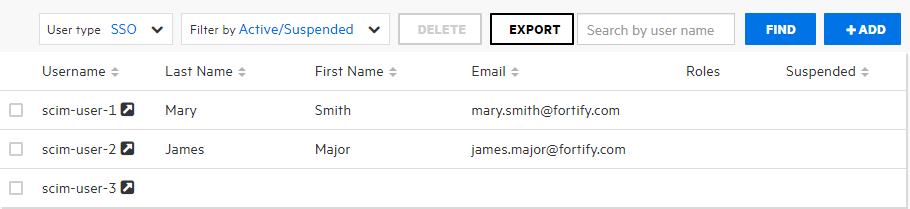
Locate the user account you want to edit, and then click the row to expand it and view the account details.
Click EDIT.

Make any required changes to values in the First Name, Last Name, and Email boxes.
Values for the First Name, Last Name, and Email fields must not start with the characters
=,-,+, or@, and must not include control characters. For a complete list of Unicode characters included in these restricted ranges, see Control characters in ASCII and Unicode.From Application Security, the only changes you can make to externally-managed user and group accounts are role and application version assignments. You must perform all other configuration (and deletion) from Entra ID.
- To change the email address password expiration policy, select or clear the check boxes below the Email box.
- To change the roles assigned to the user, in the Roles area, select or clear the check boxes for available roles.
- To remove the user from application versions, in the Access area, select the check boxes for the application versions, and then click DELETE. To assign the user to different application versions, click ADD, and then specify the application versions the user can access.
To change the password for the user, click CHANGE PASSWORD, and then specify a new password.
If this is an externally managed user, the CHANGE PASSWORD button is not available.
- Click SAVE.
See Also