Information Pane
When conducting or viewing a scan, the information pane contains three collapsible information panels and an information display area.
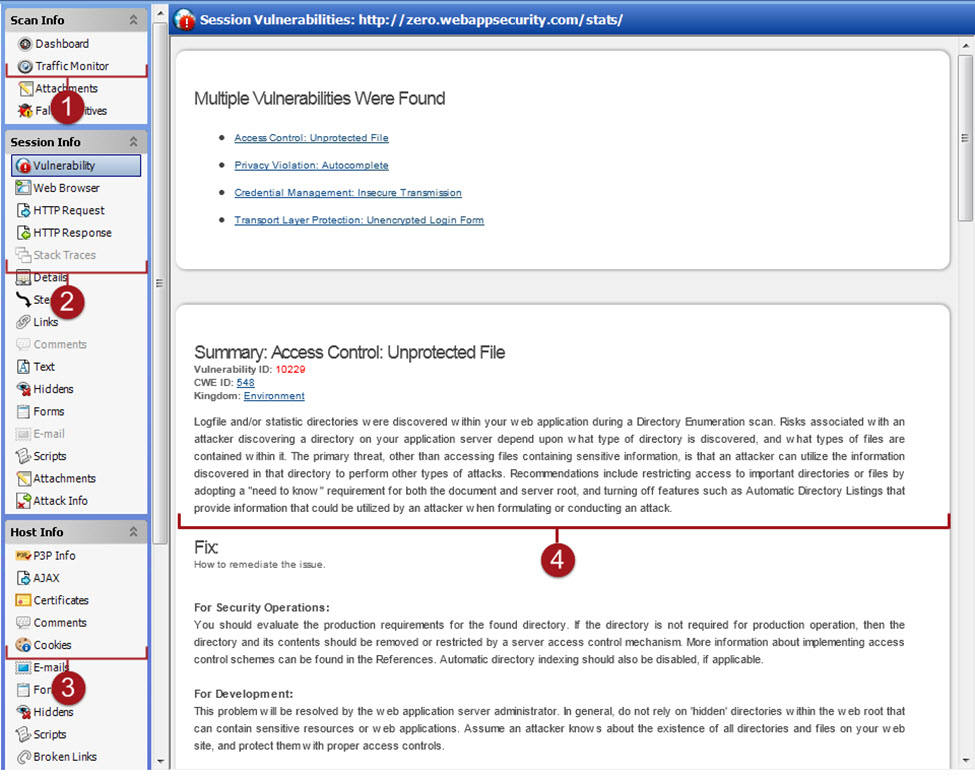
| Item | Description |
|---|---|
| 1 | Scan Info panel (See Scan Info Panel) |
| 2 | Session Info panel (See Session Info Panel) |
| 3 | Host Info panel (See Host Info Panel) |
| 4 | Information display area |
Select the type of information to display by clicking on an item in one of these three information panels in the left column.
Tip: If you follow a link when viewing the vulnerability information, click the highlighted session in the navigation pane to return.
See Also