Using Audit Assistant
The following sections provide an overview of the Audit Assistant workflow.
Audit Assistant Workflow
The workflow for using Fortify Audit Assistant is as follows:
- Update the Fortify Audit Assistant configuration after upgrading to version 23.2.0 or above. For detailed information, see Updating the Fortify Audit Assistant Configuration.
-
Obtain a Fortify Audit Assistant account.
-
Navigate to https://analytics.fortify.com.
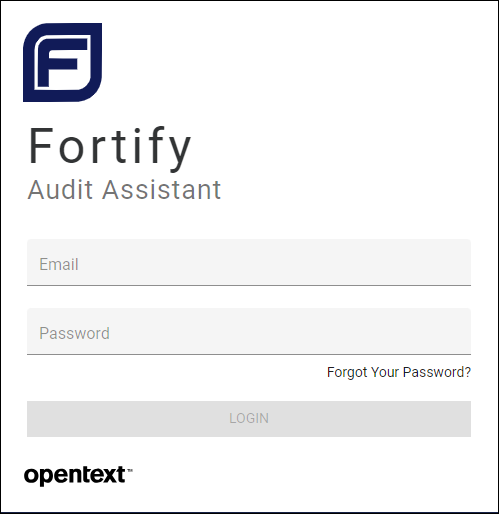
-
Click the Need an Account? link.
The Request a Fortify Audit Assistant Tenant window appears.
-
Provide your company information and click the Subscribe button.
Once your information is verified, you will receive a welcome email.
-
-
Log in to Fortify Audit Assistant and create one or more prediction policies. For detailed information, see Defining Prediction Policies.
- Obtain a Fortify Fortify Audit Assistant token. For detailed information, see Getting a Fortify Audit Assistant Authentication Token
-
From the Audit Assistant configuration page in Fortify Software Security Center:
- Configure and test the connection to Fortify Audit Assistant and then, click REFRESH POLICIES to populate the Default prediction policy list.
- Specify a default prediction policy.
- (Optional) Enable Audit Assistant to automatically send unaudited issues to Fortify Fortify Audit Assistant for prediction.
- (Optional) Enable Audit Assistant to automatically apply predicted values to custom tags.
For detailed information, see Configuring Audit Assistant).
- From Fortify Software Security Center, open an application version, and submit the latest completely audited scan to Audit Assistant. This step is referred to as training. For more information, see Submitting Training Data to Audit Assistant.
- From Fortify Software Security Center, open an application version and submit its Fortify Static Code Analyzer scan results to Audit Assistant.
- After Audit Assistant completes its assessment, view the results and, if necessary, adjust them.
- Submit corrected results to Audit Assistant.
The following sections describe how to obtain an authentication token from Fortify Audit Assistant, and then use that token to configure a connection to Fortify Audit Assistant. Later sections describe how to prepare Fortify Audit Assistant for metadata submission, submit data, review Audit Assistant results, and then submit corrected audit data.
See Also
Enabling Auto-Apply and Auto-Predict for an Application Version
"Enabling Metadata Sharing" on page 1